Mukesh1@gmail.com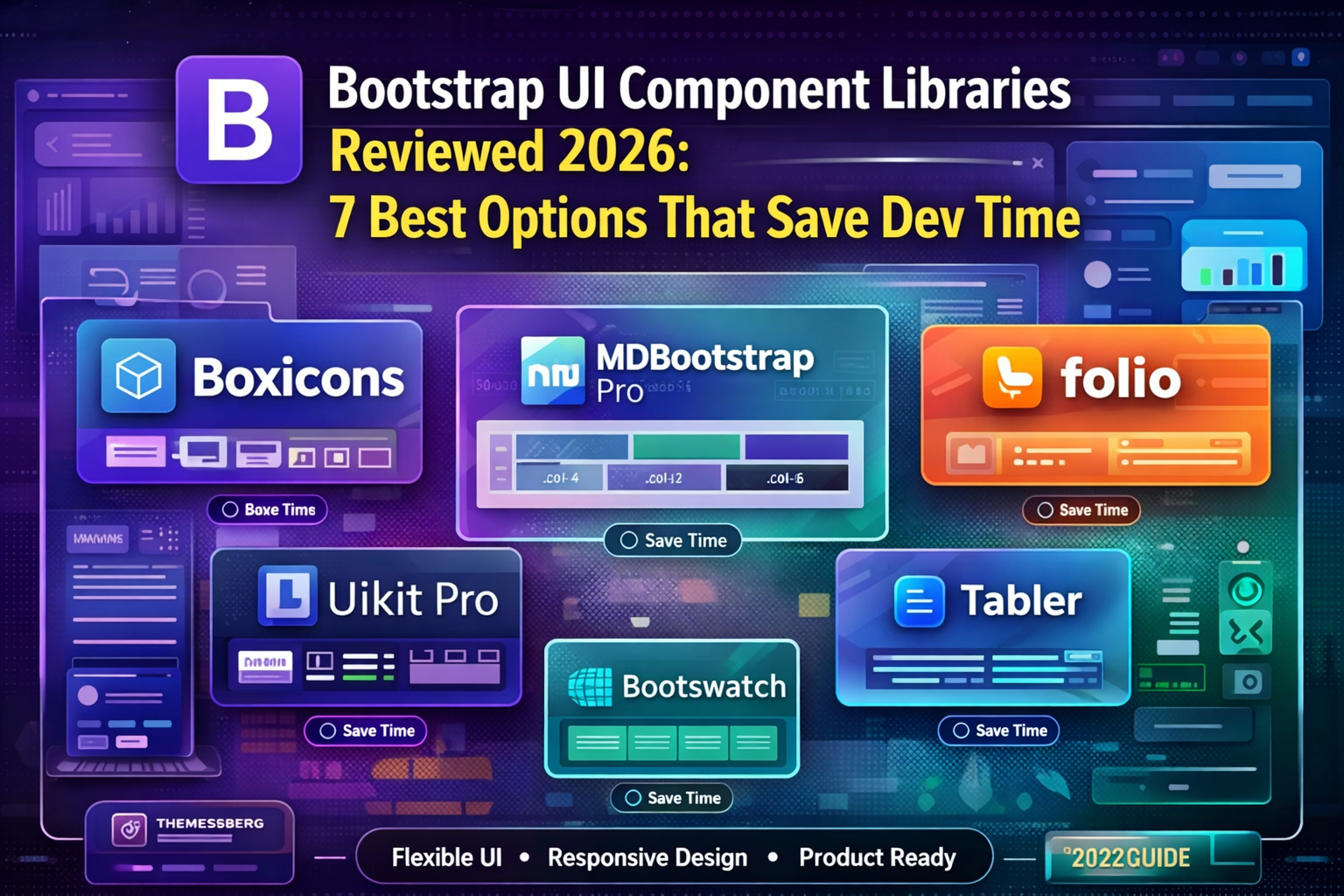
Every frontend developer hits the same moment at some point. You’re starting a new project, the deadline is real, and you need a solid UI up and running without spending three days writing CSS from scratch. That’s exactly the problem Bootstrap UI Component Libraries were built to solve.
But here’s the thing — not all of them solve it equally well. Some look great in screenshots but fall apart the moment you try to customize them. Some have excellent components but documentation that makes you want to close the browser tab permanently. And some are genuinely excellent tools that, once you learn them, make frontend development noticeably faster.
This review covers seven of the most widely used Bootstrap UI Component Libraries in 2026 — what each one actually offers, where each one struggles, and which type of project each one suits best.
What Makes a Component Library Actually Worth Using
Before getting into the individual options, it’s worth being clear about what separates a genuinely useful library from one that creates more work than it saves.
Component variety matters because the more ready-made components a library offers — modals, dropdowns, tables, forms, navbars, cards — the less you build from scratch. A library with thirty components covers most projects. A library with ten leaves you writing custom code anyway.
Customization flexibility is where many Bootstrap UI Component Libraries fall short. If changing the primary color requires overriding fifty CSS variables or fighting specificity battles, the library is working against you. Good libraries make theming straightforward.
Documentation quality is underrated. A library with a hundred components but poor documentation means spending twenty minutes finding out how to use each one. That time adds up fast on a real project.
Active maintenance matters in 2026 especially because Bootstrap 5 has been the stable foundation for several years now, and libraries that haven’t kept up with it introduce compatibility headaches you don’t need.Bootstrap UI Component Libraries
With those criteria in mind — let’s get into the actual libraries.
1. Bootstrap Native Components (Bootstrap 5 Core)
Before reaching for a third-party library, it’s worth being honest about what Bootstrap 5 itself already provides.
Bootstrap 5 ships with a genuinely solid set of built-in components — navbars, modals, dropdowns, cards, alerts, badges, breadcrumbs, carousels, accordions, progress bars, and more. For projects with modest UI requirements, the core library alone covers most of what you need.
Where It Saves Time
The theming system using CSS custom properties is well-implemented. Changing your primary color, border radius, or font family is a matter of overriding a handful of variables in your own stylesheet — not fighting the framework.
The JavaScript plugins (modals, tooltips, dropdowns) are dependency-free in Bootstrap 5. No jQuery required. That alone is a significant improvement over earlier versions for performance-conscious projects.
Where It Falls Short
The default visual style is recognizable to the point of being generic. Projects built purely on Bootstrap 5 defaults tend to look similar to each other without intentional customization. If visual distinctiveness matters for your project, you’ll need to invest time in theming.
For complex data-heavy interfaces — data tables with sorting and filtering, advanced date pickers, rich text editors — Bootstrap 5 core doesn’t go far enough and you’ll need supplementary libraries regardless.
Best for: Projects with standard UI requirements, internal tools, admin panels, and any situation where speed matters more than visual uniqueness.Bootstrap UI Component Libraries
2. Bootswatch
Bootswatch is the simplest possible answer to Bootstrap’s generic visual problem. It’s a collection of free, complete Bootstrap themes — Flatly, Darkly, Cyborg, Minty, Sandstone, and around twenty others — each of which completely replaces Bootstrap’s default visual style with a single CSS file swap.
Where It Saves Time
The implementation is genuinely about as fast as it gets. Replace Bootstrap’s CSS file URL with Bootswatch’s CDN link for your chosen theme, and your entire project instantly looks different. No configuration, no build process, no variables to override.
For prototypes, internal tools, and projects where the goal is “looks professional and not generic Bootstrap” rather than “matches our specific brand,” Bootswatch delivers immediately.
Where It Falls Short
Customization beyond choosing a theme is limited without going back to the SCSS source. If your brand colors don’t happen to match one of the available themes, you’re back to manual overrides — at which point you’ve partially defeated the purpose.
Bootswatch themes also follow Bootstrap’s component structure exactly, so you’re not getting any additional components beyond what Bootstrap 5 provides. It’s a visual layer, not a component extension.
Best for: Rapid prototyping, hackathon projects, internal tools, and situations where “looks different from default Bootstrap” is the primary requirement.Bootstrap UI Component Libraries
3. Bootstrap Table
Bootstrap Table is a focused, single-purpose extension that transforms Bootstrap’s basic HTML table into a feature-rich data table. Sorting, pagination, filtering, row selection, fixed columns, export to CSV — all built on top of Bootstrap’s existing table markup.
Where It Saves Time
Data tables appear in almost every admin dashboard, reporting tool, and internal application. Building sortable, paginated tables from scratch is tedious and time-consuming. Bootstrap Table handles all of it through HTML data attributes and minimal JavaScript.
html
<table data-toggle="table"
       data-pagination="true"
       data-search="true"
       data-sort-name="name"
       data-sort-order="asc">
  <thead>
    <tr>
      <th data-field="name" data-sortable="true">Name</th>
      <th data-field="role" data-sortable="true">Role</th>
    </tr>
  </thead>
</table>
That markup alone gives you a searchable, sortable, paginated table. No JavaScript to write. For projects with heavy data display requirements, this is a meaningful time saver.
Where It Falls Short
It’s a single-purpose tool. If your project needs more than better tables, Bootstrap Table doesn’t help with navbars, forms, or layout components.
Best for: Admin dashboards, reporting tools, CRM interfaces, and any project where tabular data is a primary UI element.
4. MDB (Material Design for Bootstrap)
MDB combines Bootstrap’s grid and layout system with Google’s Material Design visual language. The result is a library with a significantly larger component set than Bootstrap alone — covering timelines, steppers, loaders, chips, tooltips with rich content, and more.
Where It Saves Time
The component variety in MDB is genuinely one of the broadest among Bootstrap UI Component Libraries. For projects that need components beyond Bootstrap’s standard set — especially Material Design-styled applications — MDB often covers requirements that would otherwise require multiple separate libraries.
The documentation is thorough. Each component has multiple usage examples, parameter references, and copy-pasteable code blocks. Time spent looking up how to implement something is noticeably lower than with some alternatives.
Where It Falls Short
The free tier has limitations. Some components and features are gated behind the paid MDB Pro plan. For a commercial project, this is worth evaluating upfront — discovering mid-project that a required component requires a license is frustrating.
The Material Design visual style is opinionated. If your project’s design language doesn’t align with Material Design, MDB’s components will feel out of place regardless of how capable they are.
Best for: Material Design-oriented projects, applications requiring a broad component set, and teams comfortable with the free/pro tier structure.
5. CoreUI for Bootstrap
CoreUI positions itself specifically as an admin UI framework built on Bootstrap. It ships with complete dashboard templates, a sidebar navigation system, a comprehensive icon library, and chart integration — all components that standard Bootstrap doesn’t provide.
Where It Saves Time
If you’re building an admin dashboard or back-office application, CoreUI eliminates a significant amount of layout work. The sidebar navigation, header, footer, and page structure come pre-built. You’re adding content to a working shell rather than constructing the shell yourself.
The included chart components and statistics card layouts — the kind of components that appear on virtually every dashboard — are particularly well-implemented and save meaningful development time on data visualization requirements.
Where It Falls Short
CoreUI is specialized. For marketing sites, landing pages, or consumer-facing applications, its admin-dashboard orientation makes it feel like the wrong tool. The component vocabulary is strongly oriented toward internal applications.
The free version is capable for many projects. The Pro version extends it significantly but requires evaluating licensing costs against your project’s budget.
Best for: Admin panels, dashboards, back-office applications, and internal tools where the admin layout structure is a core requirement.
6. Tabler
Tabler is an open-source admin dashboard framework built on Bootstrap 5. It’s one of the cleaner, more modern-looking options among Bootstrap UI Component Libraries — with a design that doesn’t immediately look like a Bootstrap project.
Where It Saves Time
Tabler includes over 100 UI components beyond Bootstrap’s defaults — timeline components, stat cards, empty state pages, user cards, activity feeds, pricing tables, and more. For admin dashboards specifically, the coverage is excellent.
The visual quality is notably higher than Bootstrap defaults without requiring extensive custom theming. Tabler’s default color palette and spacing system feel deliberately designed rather than framework-default. Projects built with Tabler tend to look professional with minimal additional styling work.
It’s fully open source under the MIT license — no paid tiers, no feature gating. That matters for projects where budget is a consideration.
Where It Falls Short
Like CoreUI, Tabler is dashboard-oriented. Using it for a marketing website or consumer app would feel forced. It’s built for internal tools and admin interfaces.
Documentation, while functional, is less comprehensive than some commercial alternatives. Some less common components have minimal usage examples, requiring some experimentation.
Best for: Open-source projects, admin dashboards, internal tools, and developers who want better default aesthetics without paying for a premium library.
7. Argon Design System Bootstrap
Argon Design System is developed by Creative Tim and provides a visually polished Bootstrap component set with a distinctive soft, modern aesthetic — gradients, card shadows, and refined typography that differ noticeably from standard Bootstrap.
Where It Saves Time
Argon includes a well-crafted set of pre-built page sections — hero sections, feature grids, testimonial layouts, pricing tables, contact forms — that accelerate marketing site and landing page development specifically. These are areas where other Bootstrap UI Component Libraries focus less attention.
The visual quality out of the box is high enough that Argon-based projects can reach a professional standard without significant custom design work.
Where It Falls Short
Argon’s free version, while useful, is limited in scope. The full component set requires a Pro license. The aesthetic, while polished, is fairly specific — it suits modern SaaS marketing sites well but feels less appropriate for utilitarian internal tools.
Best for: Marketing websites, SaaS landing pages, product presentation sites, and projects where visual polish matters from day one.
Side-by-Side Comparison
Here’s a practical summary across the criteria that actually matter for saving development time:
Bootstrap 5 Core — widest compatibility, most familiar, lowest time-to-start, generic aesthetics without theming effort.
Bootswatch — fastest visual upgrade, zero configuration, limited to theme selection.
Bootstrap Table — best-in-class for data tables specifically, single-purpose.
MDB — broadest component set, Material Design oriented, free/pro split.
CoreUI — best for admin dashboards, strong chart and sidebar support, commercial licensing.
Tabler — best open-source admin option, clean modern aesthetics, MIT licensed.
Argon Design System — best for marketing and landing pages, high visual quality, limited free tier.
Which One Actually Saves the Most Dev Time?
The answer depends entirely on what you’re building — which is why this question doesn’t have one universal answer.
For admin dashboards and internal tools — Tabler saves the most time for open-source projects. CoreUI is worth evaluating if budget allows for the Pro version.
For data-heavy applications where tables are central — Bootstrap Table combined with Bootstrap 5 core covers most requirements efficiently.
For marketing sites and landing pages — Argon Design System or heavily themed Bootswatch get you to a professional result fastest.
For general-purpose projects where you need flexibility — Bootstrap 5 core with a carefully chosen Bootswatch theme keeps options open without locking you into a specific library’s conventions.
The worst approach is spending two hours evaluating libraries and then picking one randomly. Read through the documentation for your top two candidates. Check that the specific components you know you need are available and well-documented. Then commit and build.
Final Conclusion
Bootstrap UI Component Libraries exist to solve a real problem — and in 2026, the options available are genuinely solid across the board. The decision isn’t really about which library is best in an absolute sense. It’s about which library’s strengths match your specific project’s requirements.
For dashboards, Tabler or CoreUI. For tables, Bootstrap Table. For marketing pages, Argon. For the fastest possible start with no decisions, Bootswatch on top of Bootstrap 5 core.
Pick based on your project type, verify the components you need exist and are documented well, and start building. The time you save by choosing the right Bootstrap UI Component Libraries upfront is time you can spend on the parts of your project that actually require original work.