Mukesh1@gmail.com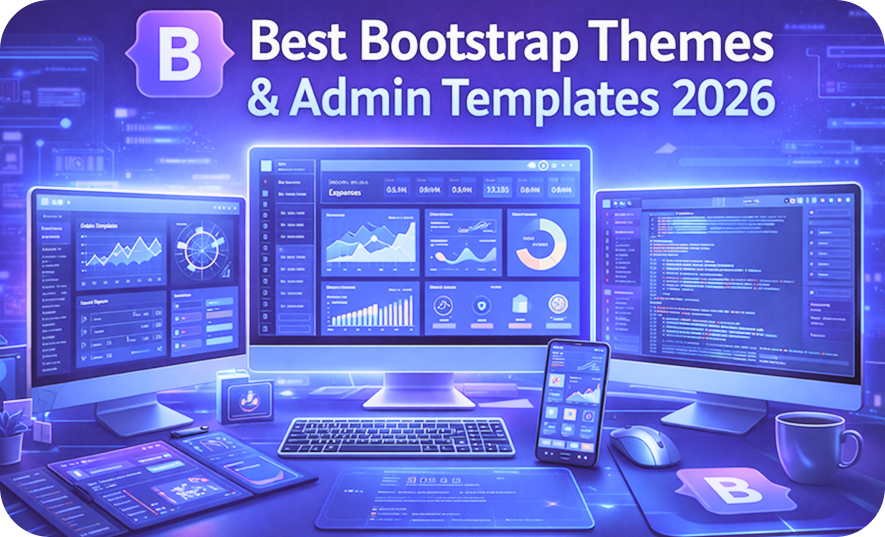
Finding good Bootstrap Themes and Admin Templates sounds simple until you actually start looking. There are hundreds of options, review sites that rank whatever pays them the most, and GitHub repositories that haven’t been touched in three years still showing up on the first page of search results.
This article cuts through that noise. The Bootstrap Themes and Admin Templates covered here were evaluated based on actual usage criteria — component variety, documentation quality, update frequency, customization flexibility, and how much real development time they save on practical projects. No sponsored picks, no inflated praise.
If you’re a developer trying to choose the right starting point for a dashboard, admin panel, or web application in 2025, this guide is written for you.
What to Actually Check Before Choosing Any Template
Most developers jump straight to screenshots. That’s understandable — visual quality is immediately obvious. But screenshots are the least reliable way to evaluate Bootstrap Themes and Admin Templates for real project use.
Here’s what actually matters once you start working with a template.
Component coverage — Does the template include the specific components your project needs? A dashboard without data table support, or an admin template without form validation examples, means writing that code from scratch anyway.
Last update date — Bootstrap 5 has been stable for a few years now. Any Bootstrap Themes and Admin Templates still built on Bootstrap 4 or earlier will introduce compatibility problems, especially with modern JavaScript dependencies.
Documentation depth — A template with fifty components and three documentation pages is almost unusable on a deadline. Good documentation shows multiple usage examples per component, not just one screenshot and a download link.
License terms — Free MIT templates let you use them commercially without restrictions. Some “free” templates have licenses that prohibit commercial use. Always check this before building something client-facing on a free template.
With those criteria clear, here are the honest reviews.
1. Tabler – Best Overall Open Source Option
Tabler has been consistently one of the strongest Bootstrap Themes and Admin Templates available, and in 2025 it remains the top recommendation for most admin dashboard projects.
What Makes Tabler Stand Out
The component library is genuinely extensive — over 100 UI components beyond standard Bootstrap, including timeline layouts, stat cards, activity feeds, empty state pages, user avatars with status indicators, and more. These are exactly the components that appear in real admin applications and would take significant time to build from scratch.
The default visual design is clean and modern without looking like every other Bootstrap project. Tabler has clearly made deliberate design decisions around spacing, color palette, and typography — the result is a template that looks professionally designed rather than framework-default.
It’s fully open source under the MIT license. No paid tiers, no feature gating, no components hidden behind a Pro purchase. That’s increasingly rare among high-quality Bootstrap Themes and Admin Templates.
Where Tabler Has Limitations
Documentation is functional but not exceptional. Common components are well-covered, but some of the more advanced layout patterns have minimal explanation. You’ll occasionally need to experiment to understand how a specific component is meant to be used.
It’s also firmly dashboard-oriented. Tabler is not the right choice for marketing websites, landing pages, or consumer-facing applications. Its component vocabulary is built for internal tools and data interfaces.
Verdict: Best starting point for admin dashboards and internal tools. The combination of MIT licensing, genuine component depth, and modern aesthetics is hard to beat among free Bootstrap Themes and Admin Templates.
2. CoreUI – Best for Enterprise Admin Projects
CoreUI sits in a different category than Tabler. Where Tabler excels as a free open-source option, CoreUI targets professional and enterprise projects with a more structured free/pro offering.
What CoreUI Does Well
The sidebar navigation system is among the best implemented in any Bootstrap Themes and Admin Templates collection. Multi-level navigation, collapsed states, icon support, and breadcrumb integration all work cleanly and cover the navigation requirements of most complex admin applications.
Chart integration is a genuine strength. CoreUI ships with pre-built chart components using Chart.js, complete with theming that matches the template’s design system. Building dashboard charts that actually look like they belong in the same UI — rather than being pasted in from a different library — saves meaningful time.
The Pro version adds a significant number of additional components and complete page templates. For teams with a budget, the Pro license is worth evaluating against the time saved on component development.
Where CoreUI Has Limitations
The free version, while usable, is noticeably limited compared to Pro. Some components you’d expect to be standard are Pro-only, which can feel restrictive when you discover this mid-project.
The visual style has a slightly corporate feel that works well for enterprise applications but less well for modern SaaS products that want a fresher aesthetic.
Verdict: Strong choice for enterprise admin panels and teams comfortable with commercial licensing. The sidebar and chart implementations specifically are among the best available in Bootstrap Themes and Admin Templates.
3. AdminLTE – Most Widely Used Legacy Option
AdminLTE is probably the most used admin template in existence if you measure by GitHub stars and Stack Overflow questions. It’s been around since Bootstrap 3, has been updated through Bootstrap 4 and now Bootstrap 5, and has a massive community behind it.
What AdminLTE Does Well
The sheer familiarity of AdminLTE is an asset in team environments. If you’re joining a project or handing one off, there’s a high probability that anyone who has done admin dashboard work has encountered AdminLTE before. That shared familiarity reduces onboarding time.
The component coverage is broad, the layout system is well-understood, and there are thousands of Stack Overflow answers, tutorials, and GitHub issues covering nearly every problem you could encounter. That community support is genuinely valuable on a project with a deadline.
Where AdminLTE Has Limitations
The visual design is showing its age. AdminLTE’s aesthetic roots are in an earlier era of web design — it looks functional but not modern. Compared to Tabler or newer entries among Bootstrap Themes and Admin Templates, AdminLTE projects require more custom styling to look contemporary.
The codebase is also large and somewhat dense. For developers who want to understand the template deeply and customize it extensively, AdminLTE’s architecture requires more orientation time than newer, more modular alternatives.
Verdict: Reliable choice when community support and widespread familiarity matter more than modern aesthetics. For greenfield projects with no legacy requirements, newer options are generally preferable.
4. Volt Bootstrap 5 Dashboard – Best Free Lightweight Option
Volt is a free Bootstrap 5 admin dashboard developed by Themesberg. It entered the conversation around Bootstrap Themes and Admin Templates more recently than AdminLTE or CoreUI but has earned genuine attention for its clean implementation.
What Volt Does Well
Volt is built natively on Bootstrap 5 with no jQuery dependency — something that matters for performance-conscious projects. The component implementation is clean and modern, and the default visual style is fresh without being trendy in a way that will look dated quickly.
The free version is genuinely useful — not a stripped-down preview of a paid product. Core dashboard layouts, common components, and authentication page templates are all available without a purchase.
For smaller projects or developers who want a lightweight starting point without committing to a large template framework, Volt provides exactly that.
Where Volt Has Limitations
The component set is narrower than Tabler or CoreUI. For complex admin applications with advanced requirements, you’ll hit the edges of Volt’s coverage faster than with more comprehensive Bootstrap Themes and Admin Templates.
The Pro version extends the component set significantly, but the free-to-pro gap is noticeable if your project requirements are on the larger side.
Verdict: Excellent choice for smaller projects, prototypes, and developers who want a clean, lightweight Bootstrap 5 starting point without unnecessary complexity.
5. Argon Dashboard – Best for Modern SaaS Aesthetics
Argon Dashboard, developed by Creative Tim, occupies a visual niche that most Bootstrap Themes and Admin Templates don’t address well — the modern SaaS aesthetic with gradients, soft card shadows, and refined typography that consumer-facing applications increasingly use.
What Argon Does Well
The visual design is genuinely distinctive. Argon Dashboard looks different from every other Bootstrap template in a way that’s intentional and polished. For product teams building customer-facing dashboards — the kind users log into daily and form opinions about — Argon’s aesthetics are a meaningful advantage.
Pre-built page templates for login, registration, user profile, and account settings are particularly well-designed and save significant time on the pages that users interact with most personally.
Where Argon Has Limitations
The free version’s component set is limited. Argon is primarily a design-forward template rather than a component-library-forward one — you’re paying for aesthetics more than component breadth.
The Pro version is needed for anything beyond basic dashboard requirements, and Creative Tim’s pricing reflects the premium positioning of the product.
Verdict: Best choice specifically for consumer-facing dashboards and SaaS product interfaces where visual polish is a primary requirement. Less suitable for internal tools where aesthetics matter less than component coverage among Bootstrap Themes and Admin Templates.
How to Make the Final Decision
Here’s a practical decision framework that saves time:
Write down the five most important components your specific project needs. Then check each template candidate to confirm those components exist, are documented with usage examples, and look like they fit the rest of the design system.
If you’re building an internal tool with complex data tables and navigation — Tabler or CoreUI. If you’re building something a paying customer will look at every day — Argon. If community support and familiar patterns matter most — AdminLTE. If you want lightweight and clean with Bootstrap 5 native — Volt.
The official Bootstrap 5 documentation is always worth having open alongside any template, because understanding the underlying framework helps you customize any of these Bootstrap Themes and Admin Templates much more effectively.
For an overview of responsive design principles that apply across all these templates, MDN’s CSS layout guide is a solid reference that pairs well with Bootstrap-based development.
Final Conclusion
Choosing between Bootstrap Themes and Admin Templates is genuinely a project-specific decision — no single template wins across all use cases. Tabler leads for open-source admin work. CoreUI suits enterprise projects. Volt handles lightweight needs cleanly. Argon serves design-forward SaaS interfaces. AdminLTE remains reliable when community familiarity matters.
The common mistake is choosing based on screenshots alone. Check component coverage against your actual requirements, verify the license fits your project type, and confirm documentation is thorough enough to support your team. A well-chosen template saves days of development. A poorly chosen one costs them.
Pick the template that matches your project’s real requirements, not the one with the most impressive demo.