Mukesh1@gmail.com
If you’ve been building with Bootstrap 5 for a while, you’ve probably wondered at some point — what’s next? The Bootstrap 6 features and updates conversation has been growing steadily in developer communities, GitHub discussions, and frontend forums throughout 2025. No official release date exists yet, but the direction is becoming clearer.
This guide covers what Bootstrap 6 features and updates are realistically expected, what Bootstrap 5 did well enough to keep, where the current version genuinely falls short, and why any of this matters to developers who are actively building things right now. No hype, no guesswork dressed up as fact — just an honest look at where Bootstrap is headed and what it means practically.
Why This Conversation Matters Right Now
Bootstrap 5 is stable, widely used, and still receiving incremental improvements through minor releases. But the frontend ecosystem has shifted significantly since Bootstrap 5 was first designed.
CSS features that weren’t broadly supported a few years ago — container queries, cascade layers, native CSS grid — are now available in every major browser. The way people structure web projects has changed. Component-based architectures are the norm rather than the exception.
Understanding expected Bootstrap 6 features and updates matters now because it affects decisions you’re making today — whether to start a new project on Bootstrap 5, how deeply to invest in the current Sass customization system, and whether Bootstrap remains the right tool for your specific use cases going forward.
What Bootstrap 5 Got Right (Worth Keeping in Bootstrap 6)
Before talking about what needs to change, it’s worth being clear about what Bootstrap 5 actually got right. Any honest discussion of Bootstrap 6 features and updates has to start here.
CSS Custom Properties
Bootstrap 5 introduced component-level CSS variables. This was a genuine improvement — theming became more accessible without requiring deep Sass knowledge. Bootstrap 6 should expand this further, not reduce it.
Dropping jQuery Completely
Bootstrap 5 removed the jQuery dependency entirely. That decision reduced JavaScript payload, improved performance, and removed a dependency that had become unnecessary given modern browser capabilities. Bootstrap 6 should continue this direction without hesitation.
Dark Mode Support
Bootstrap 5.3 introduced the data-bs-theme attribute approach for dark mode. It’s practical and doesn’t require duplicating your entire stylesheet. Bootstrap 6 could build on this foundation with a more comprehensive theming system while keeping the core approach familiar.
Utility API
The ability to generate custom utility classes through Sass configuration was a meaningful addition. It gave developers a way to extend Bootstrap’s utility system without writing repetitive CSS by hand. More flexibility here would be genuinely useful in Bootstrap 6.
The Real Problems Bootstrap 6 Needs to Solve
1. Incomplete CSS Variable Coverage
This is the most significant technical limitation in Bootstrap 5 today. The move to CSS variables started but wasn’t finished. Many internal values — spacing, colors, sizing — are still Sass variables that don’t expose corresponding CSS custom properties at runtime.
The practical consequence is that deep customization still requires a Sass build pipeline. You can’t do serious Bootstrap theming purely at the CSS layer without compiling Sass.
Bootstrap 6 features and updates should ideally make the framework fully CSS-variable-driven. Every color, every spacing value, every border radius should be changeable at runtime without a build step. This would make dynamic theming — like allowing dashboard users to switch between light, dark, and custom themes — dramatically more practical to implement.
2. No Container Query Support
CSS Container Queries are now supported across all major browsers. This is significant for component-based development. Instead of components responding to the viewport width, they can respond to the width of their containing element.
A card component that reflows based on the column it’s placed in — not the entire viewport — is far more reusable across different layout contexts. Bootstrap 5’s responsive utilities are viewport-based and can’t do this.
Incorporating container query support is one of the most anticipated Bootstrap 6 features and updates in community discussions, and browser support is now mature enough to make it a reasonable default rather than an experimental addition.
3. CSS Bundle Size
Bootstrap 5’s CSS is approximately 190KB unminified. Modern CSS features — cascade layers, logical properties, newer selectors — create opportunities to rebuild parts of Bootstrap’s architecture in ways that are both lighter and more maintainable.
Some of Bootstrap 5’s existing code exists as workarounds for browser limitations that no longer exist. Dropping those legacy accommodations in Bootstrap 6 could meaningfully reduce the default CSS payload without requiring developers to configure custom builds just to get reasonable file sizes.
4. JavaScript Framework Integration
Bootstrap 5’s JavaScript uses data attributes for component initialization. This works well for plain HTML pages but creates real friction when working with React, Vue, or Svelte. Managing data attributes on dynamically rendered components, handling Bootstrap’s DOM-dependent initialization in virtual DOM environments, and avoiding conflicts between Bootstrap’s JavaScript and framework lifecycle methods are all genuine pain points.
Better framework integration is among the most discussed Bootstrap 6 features and updates requests. A more modular, framework-agnostic JavaScript API — one that works naturally whether you’re writing plain HTML or building React components — would significantly expand Bootstrap’s usefulness in modern development workflows.
5. Native CSS Grid Layout
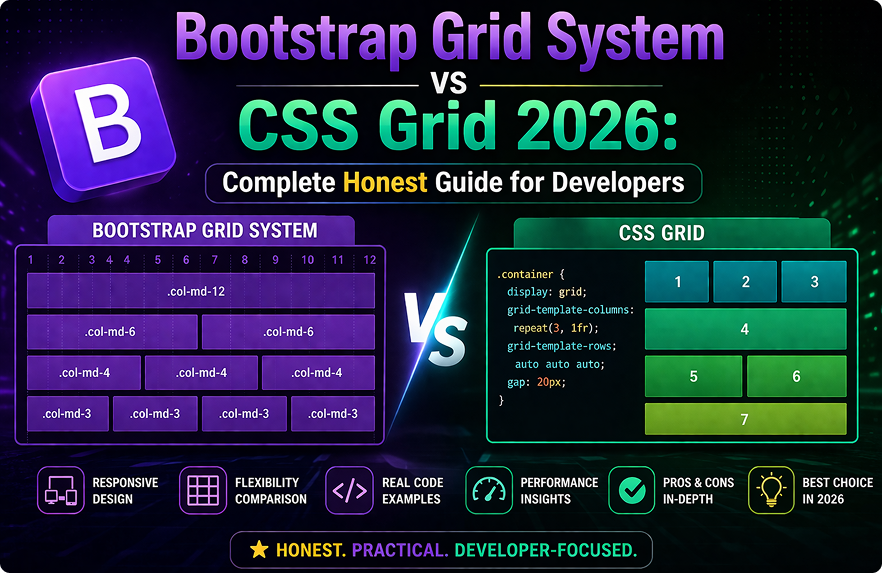
Bootstrap 5 uses flexbox for its grid system. Native CSS Grid is now universally supported and provides two-dimensional layout capabilities that flexbox simply can’t replicate. Bootstrap’s column syntax is familiar and well-understood — but the underlying implementation could be rebuilt on CSS Grid without requiring developers to relearn the class names.
An optional or default CSS Grid-based layout system is one of the Bootstrap 6 features and updates that would genuinely expand what’s achievable with Bootstrap layouts, particularly for complex dashboard and application interfaces.
What the Developer Community Is Asking For
Beyond the technical architecture changes, browsing Bootstrap’s GitHub issues and community forums reveals consistent patterns in what developers want from Bootstrap 6 features and updates.
More Form Component Variants
Bootstrap’s form components are functional but visually limited. Floating labels — added in Bootstrap 5 — were well-received. Developers want more input variants, better multi-select patterns, improved file upload styling, and more polished form validation UI states. Forms are a major part of most web applications, and Bootstrap’s current form coverage feels behind.
Better Animation and Transition System
Bootstrap’s current transition system is basic. Modals, toasts, accordions, and dropdowns animate, but the system isn’t particularly flexible or customizable without CSS overrides. Smoother, more configurable animations — ideally with reduced-motion support built in properly — are frequently requested.
Accessibility Improvements
Bootstrap 5 improved on Bootstrap 4’s accessibility, but gaps remain in ARIA implementation for some components. Given WCAG 2.2’s release and increasing legal requirements around web accessibility in many jurisdictions, a focused accessibility pass in Bootstrap 6 would be both practically valuable and increasingly necessary.
Better Icon Integration
Bootstrap Icons exists as a separate package. The disconnect between Bootstrap’s component system and its icon library creates minor but consistent friction — sizing, color inheritance, and alignment behavior don’t always feel seamlessly integrated. Tighter first-party icon integration is a recurring community request.
Will Bootstrap 6 Go Headless?
Headless UI approaches — where behavior and accessibility are handled without default visual styles — have become prominent in the ecosystem. Some community voices have suggested Bootstrap 6 could move in this direction.
This seems unlikely to be the primary path. Bootstrap’s appeal has always centered on providing ready-to-use styled components that don’t require design decisions from the developer. Going headless would fundamentally change what Bootstrap is and who it’s for.
More realistic: Bootstrap 6 keeps its design defaults but makes them genuinely easy to override or replace entirely — not just partially, as is often the frustrating reality with Bootstrap 5 customization today.
Timeline: Realistic Expectations
Bootstrap’s major version releases have historically followed roughly three-year intervals. Bootstrap 3 to Bootstrap 4 took approximately three years. Bootstrap 4 to Bootstrap 5 followed a similar timeline.
Given that Bootstrap 5 has been in stable maintenance mode for a while, and that the 5.3.x series has continued receiving meaningful improvements, it’s possible the Bootstrap core team is being deliberate about ensuring Bootstrap 6 is a worthwhile upgrade rather than a rushed release.
Nothing official has been announced as of 2025. Tracking the Bootstrap GitHub repository directly is the most reliable way to follow actual development progress rather than relying on speculation from secondary sources.
Should You Learn Bootstrap 5 Now or Wait for Bootstrap 6?
This question comes up in beginner communities regularly, and the answer is clear: learn Bootstrap 5 now.
Bootstrap 5 will remain in active production use for years after Bootstrap 6 releases — exactly as Bootstrap 4 continued seeing widespread use long after Bootstrap 5 launched. Major companies don’t migrate frontend frameworks on a whim, and Bootstrap 5 codebases will need maintaining regardless of what version comes next.
More importantly, Bootstrap’s core concepts — the grid system, component class patterns, utility API, responsive modifiers — are conceptually consistent across versions. Understanding Bootstrap 5 deeply will make adopting Bootstrap 6 features and updates significantly faster when the time comes.
The official Bootstrap 5 documentation remains the best starting point for learning the framework properly today, and the investment transfers directly to Bootstrap 6 when it arrives.
Final Conclusion
Bootstrap 6 features and updates represent a natural evolution of a framework that has served millions of projects well — not a reinvention. Full CSS variable coverage, container query support, a lighter CSS footprint, better JavaScript modularity, improved accessibility, and deeper theming flexibility are the changes that make the most sense given where the web platform is in 2025.
None of these are radical departures. They’re honest responses to how CSS and browser capabilities have matured since Bootstrap 5 was designed.
If you’re building with Bootstrap 5 today, keep building. Understand it deeply. The knowledge transfers. And when Bootstrap 6 features and updates land officially, you’ll be in the best possible position to adopt them quickly and use them well.