Mukesh1@gmail.com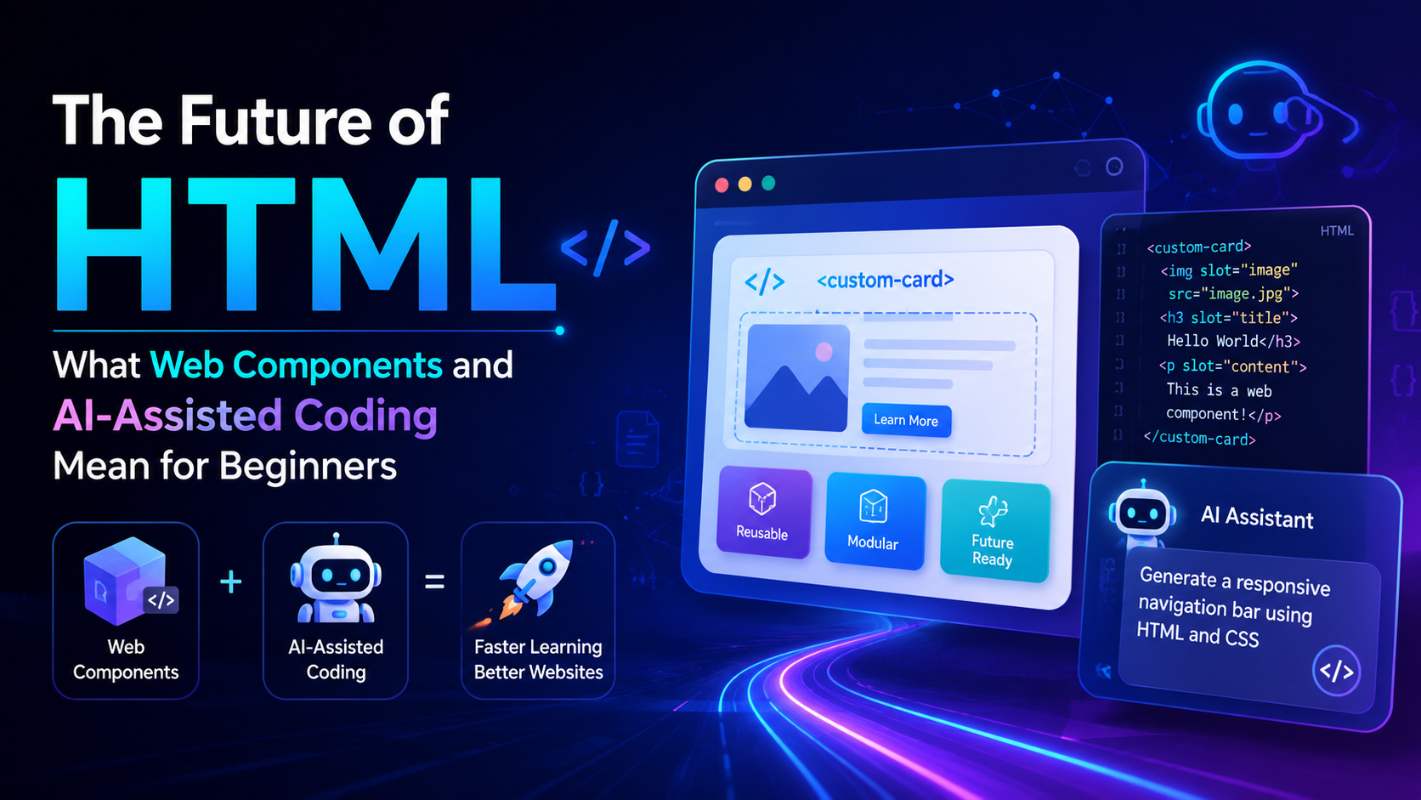
If you’re just starting to learn HTML, you’ve probably wondered whether it’s still worth the effort. Frameworks are everywhere. AI tools are writing code automatically. And every second article online seems to suggest that traditional web development is being replaced by something faster, smarter, and more automated.
The future of HTML is actually more interesting than most of those headlines suggest — and a lot more beginner-friendly than people expect. This article breaks down two of the biggest shifts happening in HTML development right now: Web Components and AI-assisted coding. No hype, no jargon overload. Just a clear look at what’s changing, what it means practically, and why learning HTML in 2025 still makes complete sense.
Why HTML Is Still the Foundation — And Always Will Be
Before getting into what’s new, it helps to be clear about what hasn’t changed.
Every webpage that loads in a browser — no matter how it was built, what framework was used, or how much AI was involved — eventually becomes HTML. React components become HTML. Vue templates become HTML. Even AI-generated UI eventually outputs HTML to the browser.
HTML is not going away. The future of HTML isn’t about replacement. It’s about expansion — new capabilities being added on top of a foundation that’s been solid for decades.
Understanding this matters for beginners because it means time spent learning HTML is never wasted. You’re learning the language that the entire web ultimately speaks. Everything built on top of it still depends on it being correct, semantic, and well-structured.
What Are Web Components – And Why Do They Matter?
Web Components are one of the most significant additions to the future of HTML in recent years. They’re a set of browser-native technologies that let developers create their own custom HTML elements that work just like built-in ones.
Think about a standard HTML element like <video>. You drop it into a page, give it a source, and the browser handles all the internal complexity — playback controls, buffering states, full-screen behavior. You don’t have to build any of that yourself.
Web Components let developers create their own elements that work the same way. A team could build a <user-profile-card> element or a <feedback-form> element that bundles all its own HTML structure, CSS styling, and JavaScript behavior together. Once built, anyone can drop it into a page with a single line of markup.
The Three Technologies Behind Web Components
Web Components are built on three browser APIs that work together:
Custom Elements let you define new HTML tags with your own names and attach behavior to them. The browser treats them like any native element once registered.
Shadow DOM creates an isolated section of the page’s structure for your component. CSS and JavaScript inside the Shadow DOM don’t leak out and affect the rest of the page — and outside styles don’t accidentally break your component either. This is what gives Web Components their self-contained quality.
HTML Templates using the <template> tag let you define markup that isn’t rendered immediately. It sits in the document, ready to be cloned and used when needed — without affecting page performance while it waits.
Together these three technologies represent a meaningful shift in the future of HTML — from a simple markup language to a platform capable of supporting reusable, encapsulated interface components without needing any framework.
Web Components in Real Life – What Does This Look Like?
Here’s a practical way to think about it.
Imagine you’re building a website for a small business. You need a “business hours” display on three different pages — the homepage, the contact page, and the footer. With standard HTML, you’d copy that block of markup three times. If the hours change, you update it in three places.
With a Web Component, you’d build a <business-hours> element once. Then you’d drop <business-hours></business-hours> in three places. The logic and display are defined in one place. Updates happen in one place. The markup stays clean.
This is exactly how native HTML elements already work. Web Components just extend that same principle to developer-created elements.
For beginners, you don’t need to know how to build Web Components immediately. But understanding they exist and roughly how they work is important because the future of HTML involves working with them — whether you build your own or use ones others have created.
Major Browsers Already Support Web Components
One concern developers had about Web Components for years was inconsistent browser support. That’s largely resolved now.
Chrome, Firefox, Safari, and Edge all support the core Web Components specifications. Libraries like Lit (built by Google) make creating Web Components easier and less verbose without introducing the overhead of a full framework.
Companies including Google, Adobe, Microsoft, and Salesforce are already using Web Components in production. The technology isn’t experimental anymore — it’s mainstream infrastructure being used at scale.
For anyone learning HTML in 2025, Web Components represent a native web platform feature worth understanding — not a niche specialty.
You can explore the official specification and examples at MDN Web Docs on Web Components, which is the most reliable reference for how these technologies actually work.
AI-Assisted Coding – What It Actually Does to HTML Development
The second major force shaping the future of HTML is AI-assisted coding. Tools like GitHub Copilot, various AI chat assistants, and browser-integrated coding helpers can now generate HTML and CSS from plain-language descriptions.
You type something like “create a responsive navigation bar with a logo on the left and links on the right” and the tool produces working HTML and CSS markup in seconds.
For beginners, this raises an obvious question: if AI can write HTML, why learn it yourself?
The answer is practical, not philosophical.
Why Beginners Still Need to Understand HTML – Even With AI Tools
AI coding tools generate output. They don’t evaluate it. They don’t know whether the code fits your specific project structure, whether the accessibility is correct for your users, or whether the semantic choices make sense for your content.
Someone has to review that output and make those judgments. That person needs to understand HTML.
Here’s a real example of how this plays out. An AI tool generates a navigation bar with every link wrapped in a <div> instead of using a <nav> element with a proper list structure. To a developer who understands semantic HTML, this is immediately visible and easy to fix. To a beginner who learned HTML only by copying AI output without understanding it, the code looks fine — and ships with accessibility problems that affect real users.
The future of HTML with AI tools isn’t that you need to memorize less. It’s that judgment becomes more important than recall. You need to understand what good HTML looks like so you can recognize when AI-generated HTML isn’t it.
How AI Tools Actually Help Beginners Learn Faster
That said, AI tools used thoughtfully are genuinely useful for beginners learning HTML.
The most effective way to use them is as an explanation layer rather than a code generator. Instead of asking an AI tool to write your HTML for you, try asking it to explain why a piece of HTML is structured the way it is, or to explain the difference between two approaches to marking up a section of content.
Used this way, AI tools function like a patient tutor available at any hour. You write something, you ask what’s wrong with it, and you get a specific explanation. That feedback loop, when combined with documentation like CSS-Tricks and hands-on project building, is actually a faster learning path than most traditional courses offered even five years ago.
The key distinction is staying in control of the learning. AI writes code for you: you remain dependent. AI explains code to you: you build understanding.
What This All Means for the HTML Beginner Starting in 2025
The future of HTML is more capable, more expressive, and more tooled than it has ever been. Web Components mean that HTML is evolving into a true component platform — not just a document format. AI tools mean that the barrier to generating markup is lower, but the value of genuinely understanding that markup is higher.
For beginners, the practical guidance is straightforward:
Learn HTML properly first. Understand semantic structure, accessibility basics, forms, and document flow before leaning on any automation. That foundation is what makes everything else — Web Components, AI tools, frameworks — usable rather than confusing.
Then engage with the new tools from a position of understanding. Web Components aren’t something to fear — they extend the same HTML logic you already know. AI tools aren’t something to avoid — they’re genuinely useful when you have enough knowledge to evaluate their output.
The future of HTML belongs to people who understand its fundamentals and adapt to its evolution. That combination is more valuable in 2025 than raw memorization ever was.
Final Conclusion
HTML is not a language in decline. The future of HTML is one where its role as the web’s foundational layer deepens, not disappears. Web Components bring native component architecture to the browser platform. AI tools change how code is written but increase the premium on understanding what good code looks like.
For anyone beginning their web development journey in 2025, both of these shifts are reasons to engage with HTML more seriously — not less. The developers who will adapt well to whatever comes next are the ones building genuine understanding now, not just generating output and hoping it’s correct.
Start with the fundamentals. Stay curious about where the platform is heading. That combination has always been what separates developers who grow from developers who stall.