Mukesh1@gmail.com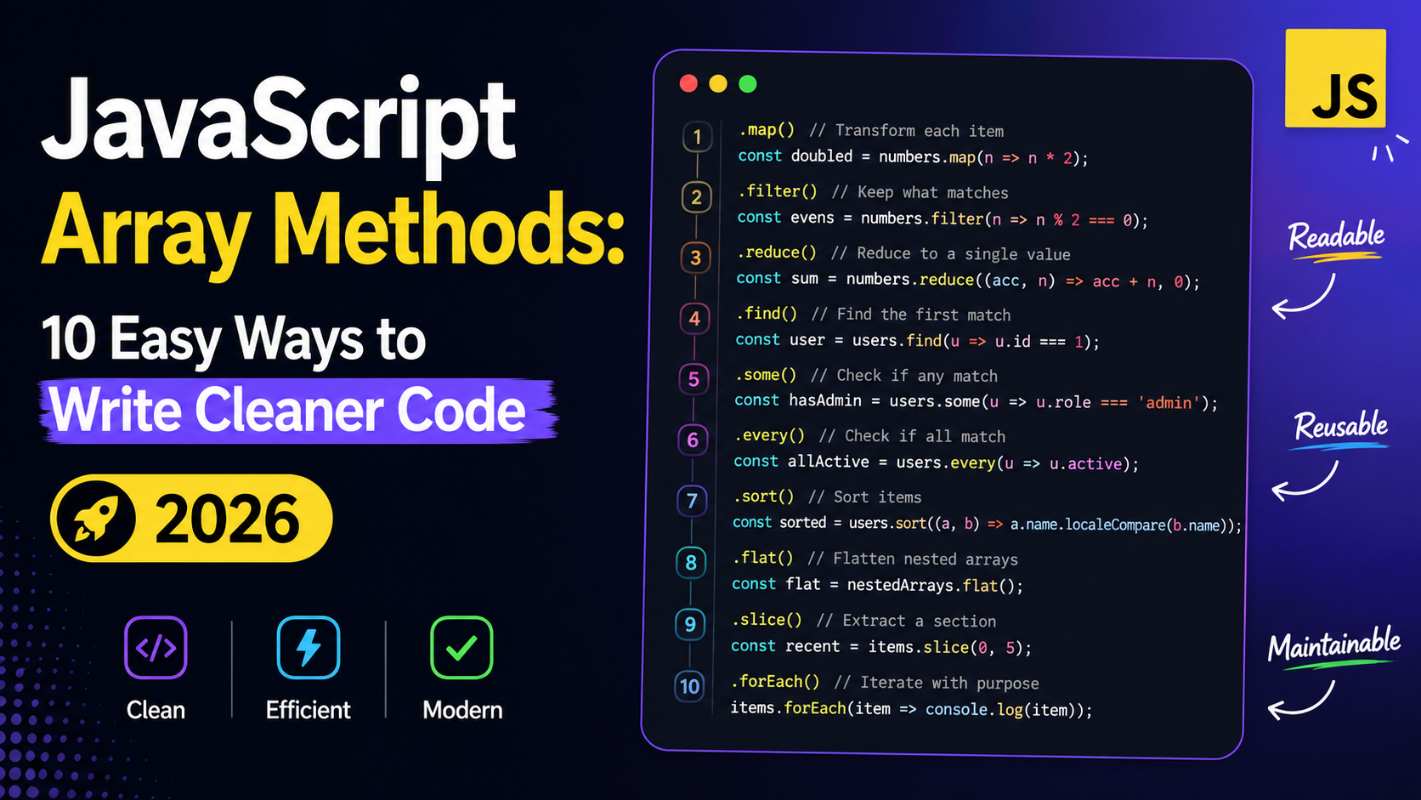
Introduction
If you have been writing JavaScript for even a few weeks, you have probably heard someone say — “just use array methods.” But what does that actually mean? And why do experienced developers keep pushing for them?
JavaScript Array Methods are built-in functions that help you work with lists of data in a smarter, more readable way. Instead of writing loops manually every single time, these methods let you describe what you want to do, not how to do it step by step.
In this guide, we are going to look at 10 JavaScript Array Methods that can genuinely change the way you write code. Whether you are a beginner or someone who has been coding for a while but still reaches for for loops out of habit — this article is for you.
Why JavaScript Array Methods Matter in 2026
Modern JavaScript development — whether you are building React apps, working with Node.js backends, or even writing simple browser scripts — heavily relies on clean, readable code. Messy code is hard to debug, hard to share with teammates, and honestly, hard to look at a week later.
JavaScript Array Methods solve that problem. They are not just shortcuts. They force you to think in a more functional style, which leads to fewer bugs and more predictable behavior.
Let’s get into it.
1. .map() — Transform Every Item in an Array
One of the most commonly used JavaScript Array Methods, .map() creates a new array by applying a function to each element of the original array.
const prices = [100, 200, 300];
const discounted = prices.map(price => price * 0.9);
// [90, 180, 270]
Notice how you never touched the original prices array. That is the beauty of it — no mutation, clean output. Think of it like sending every item through a machine and getting a transformed version back.
2. .filter() — Keep Only What You Need
.filter() is another essential pick from the list of JavaScript Array Methods. It returns a new array with only the elements that pass a condition you define.
const ages = [12, 17, 21, 15, 30];
const adults = ages.filter(age => age >= 18);
// [21, 30]
This replaces those old-school for loops where you push items into a new array manually. Cleaner, faster to read, and less room for error.
3. .reduce() — Crunch an Array Down to a Single Value
.reduce() is the powerhouse of JavaScript Array Methods. It takes an array and reduces it to a single value — a number, an object, a string, anything.
const cart = [50, 120, 75, 30];
const total = cart.reduce((sum, item) => sum + item, 0);
// 275
The second argument (0 here) is the starting value of the accumulator. This one takes a little getting used to, but once it clicks, you will use it constantly.
4. .find() — Locate One Specific Item
When you just need the first matching item in a list, .find() is your go-to. Among all JavaScript Array Methods, this one is especially useful for searching through objects.
const users = [
  { id: 1, name: "Ravi" },
  { id: 2, name: "Sara" },
  { id: 3, name: "Ali" }
];

const user = users.find(u => u.id === 2);
// { id: 2, name: "Sara" }
It stops as soon as it finds the first match, which makes it efficient on larger datasets too.
5. .findIndex() — Get the Position, Not the Value
Similar to .find(), but this one gives you the index of the matching item instead of the item itself. This is one of those JavaScript Array Methods you will appreciate when you need to update or remove something by position.
const fruits = ["apple", "mango", "banana"];
const idx = fruits.findIndex(f => f === "mango");
// 1
Combine it with .splice() later if you want to remove that item. They work nicely together.
6. .forEach() — Loop Through Without Building a New Array
Sometimes you just want to do something with each item — log it, send it to an API, update the DOM. That is exactly what .forEach() is for. Unlike most other JavaScript Array Methods, it does not return a new array.
const names = ["Priya", "Karan", "Nisha"];
names.forEach(name => console.log(`Hello, ${name}!`));
One important thing — .forEach() always returns undefined. So never try to chain it or assign its result. It is purely for side effects.
7. .some() — Check If At Least One Item Matches
.some() returns true if at least one element passes the test. It is one of the more underrated JavaScript Array Methods, but it is incredibly useful for validation logic.
const scores = [40, 55, 70, 90];
const hasPassed = scores.some(score => score >= 60);
// true
Think of it like asking: “Is there anyone in this group who meets the condition?” If yes, you get true. If not, false.
8. .every() — Check If All Items Match
The logical partner to .some(), .every() returns true only when every element satisfies the condition. Among all JavaScript Array Methods, this one is great for form validation or data integrity checks.
const temps = [36.5, 37.0, 36.8];
const allNormal = temps.every(t => t < 38);
// true
If even one item fails, .every() returns false immediately — it does not keep checking the rest.
9. .flat() and .flatMap() — Handle Nested Arrays
Dealing with arrays inside arrays? .flat() flattens them out. You can even specify how many levels deep you want to go. This is one of those JavaScript Array Methods that was added more recently but solves a very real problem.
const nested = [1, [2, 3], [4, [5, 6]]];
nested.flat();     // [1, 2, 3, 4, [5, 6]]
nested.flat(2);    // [1, 2, 3, 4, 5, 6]
.flatMap() combines .map() and .flat() in a single step:
const words = ["hello world", "good morning"];
const letters = words.flatMap(w => w.split(" "));
// ["hello", "world", "good", "morning"]
This pair of JavaScript Array Methods is especially useful when working with API responses that return nested data structures.
10. .includes() — Simple Existence Check
Sometimes the question is just: “Is this value in the array?” .includes() answers that in one line. It is one of the most readable JavaScript Array Methods you will use.
const colors = ["red", "green", "blue"];
colors.includes("green");  // true
colors.includes("yellow"); // false
No loops, no indexOf workarounds. Just a clean boolean answer.
H2: Combining JavaScript Array Methods — Where the Real Power Is
What makes JavaScript Array Methods truly shine is when you chain them together. Each one returns an array (or a value), so you can stack them cleanly.
const employees = [
  { name: "Amit", dept: "Tech", salary: 60000 },
  { name: "Neha", dept: "HR", salary: 45000 },
  { name: "Raj", dept: "Tech", salary: 75000 },
  { name: "Sonal", dept: "HR", salary: 50000 }
];

const techTotal = employees
  .filter(e => e.dept === "Tech")
  .map(e => e.salary)
  .reduce((sum, s) => sum + s, 0);

// 135000
This is the kind of code that junior developers look at and think is complex, but it is actually simpler than a nested loop doing the same thing. Once you internalize these JavaScript Array Methods, your code starts reading almost like plain English.
H2: Common Mistakes When Using JavaScript Array Methods
Even experienced developers slip up here sometimes.
Mutating the original array — Methods like .map(), .filter(), and .reduce() do not change the original array. But .splice() or .sort() do. Mix them up and you will have bugs that are hard to trace.
Forgetting the return statement in callbacks — This is super common with beginners. If you use a multi-line arrow function and forget return, your method will produce undefined values silently.
// Wrong
const doubled = [1, 2, 3].map(n => {
  n * 2; // no return!
});
// [undefined, undefined, undefined]

// Correct
const doubled = [1, 2, 3].map(n => {
  return n * 2;
});
// [2, 4, 6]
Understanding these pitfalls is just as important as knowing the JavaScript Array Methods themselves.
H2: JavaScript Array Methods vs Traditional For Loops
You might be wondering — are for loops bad? Not at all. There are still cases where a plain for loop is the right tool, especially in performance-critical code running millions of iterations.
But for most everyday tasks, JavaScript Array Methods give you:
- More readable code at a glance
- Less chance of off-by-one errors
- Easier to compose and chain operations
- Cleaner in code reviews and team settings
For most web development projects, readability and maintainability matter far more than micro-level performance differences.
H3: Resources to Practice JavaScript Array Methods
If you want to sharpen your skills further, the MDN Web Docs on Array is the most reliable reference available. Every method is documented with examples and edge cases.
For hands-on practice, JavaScript.info’s Array Methods chapter is excellent — it walks through each one with exercises that actually make you think.
Final Conclusion
JavaScript Array Methods are not just a list of shortcuts to memorize. They represent a different way of thinking about data — cleaner, more expressive, and easier to maintain over time.
We looked at ten of the most useful ones: from transforming data with .map() and filtering it with .filter(), to searching with .find(), aggregating with .reduce(), and checking conditions with .some() and .every(). Each one has a specific job, and together, they cover the vast majority of real-world array tasks you will face.
Start replacing one for loop at a time. Practice chaining. Read others’ code and spot where they use these methods. Over a few weeks, working with JavaScript Array Methods will feel completely natural — and your codebase will be better for it.